Mailbox Settings: Details & Dispatch-Only Mode
The Details & Dispatch sub-tab of Mailbox Settings shows your mailbox's connection details, and lets you switch to an alternative processing mode.
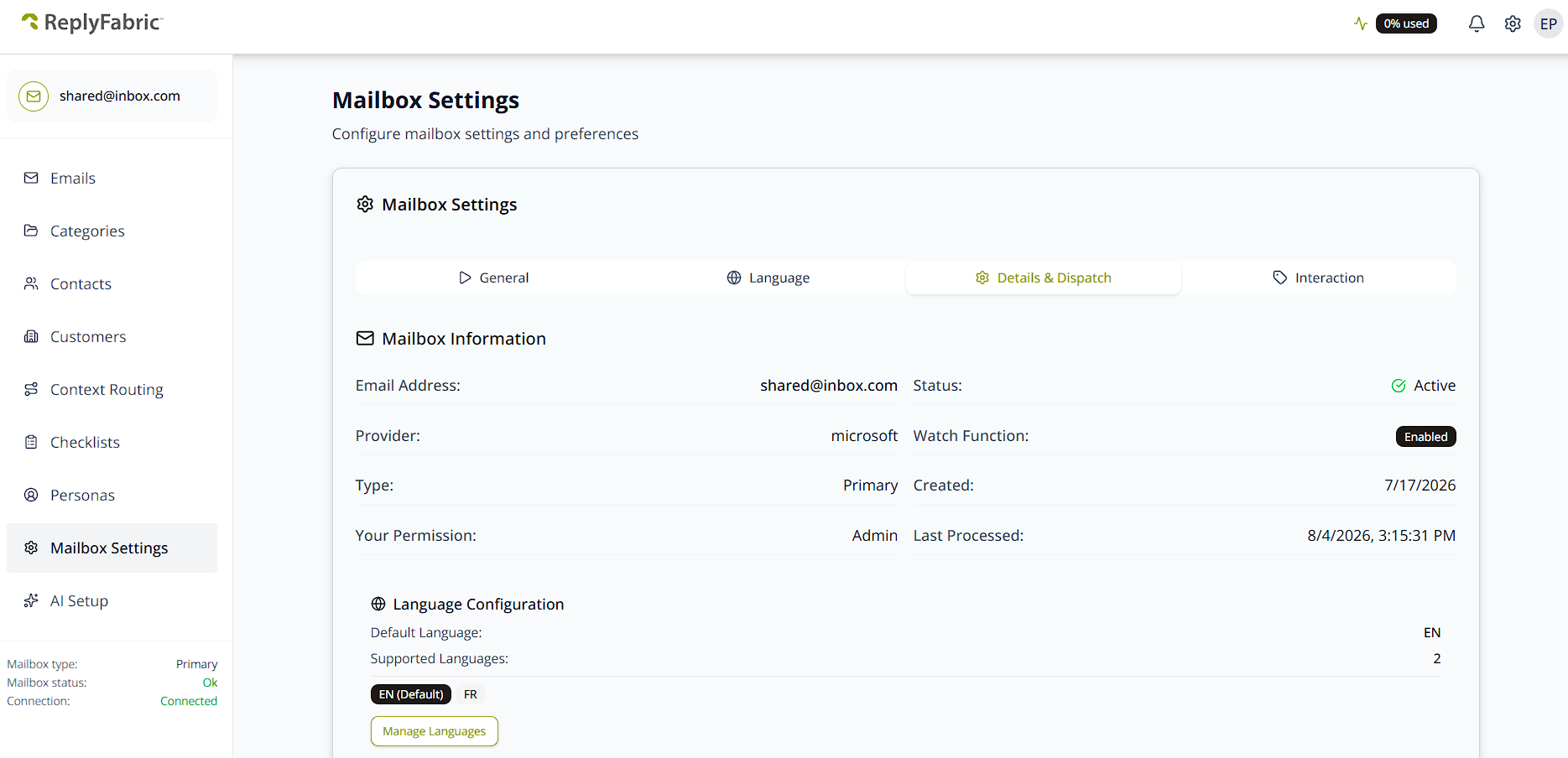
Mailbox Information
A read-only summary: Email Address, Provider, Type (Primary or Shared), Your Permission (e.g. Admin), Status, Watch Function, Created date, and Last Processed. Status is editable from here — the same control as the General tab's Mailbox Status. A condensed repeat of your Language Configuration appears just below it, with a Manage Languages shortcut to the full Language Configuration tab.
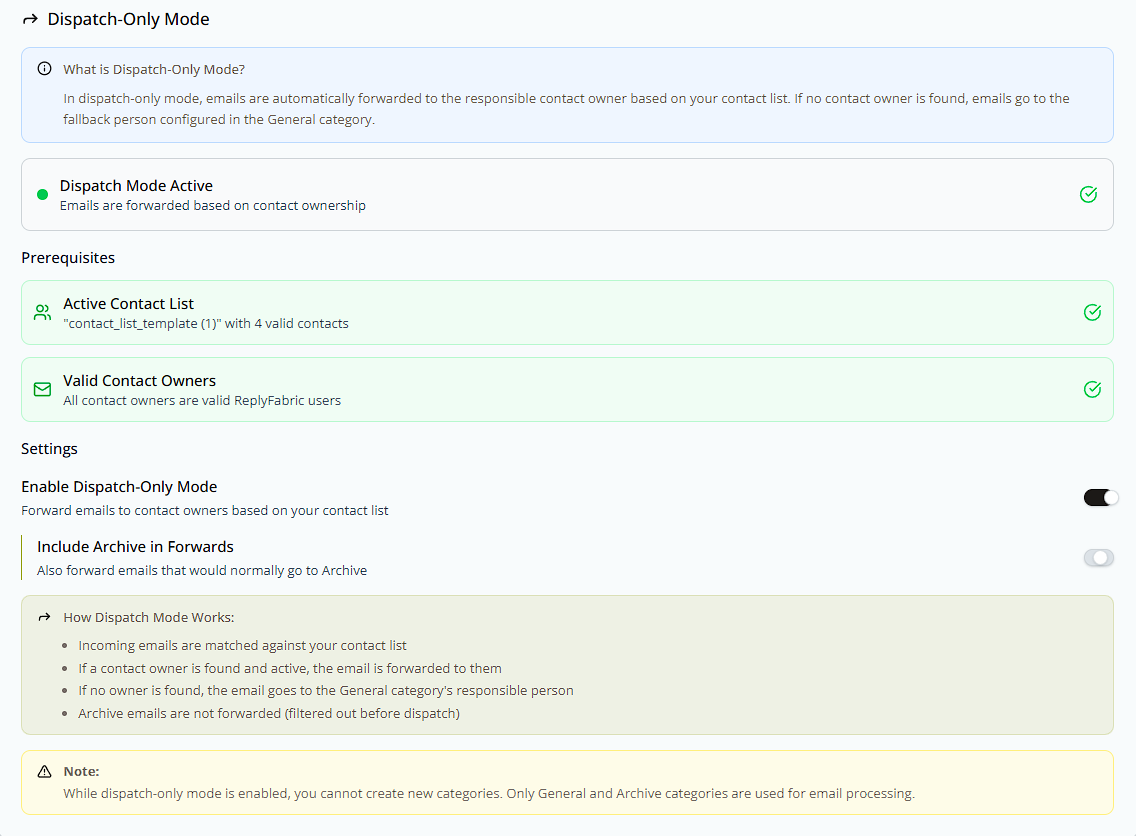
Dispatch-Only Mode
An alternative to category-based classification:
"In dispatch-only mode, emails are automatically forwarded to the responsible contact owner based on your contact list. If no contact owner is found, emails go to the fallback person configured in the General category."
Three prerequisites must be met before you can enable it:
- Active Contact List — you need a contact list uploaded and activated under Contacts.
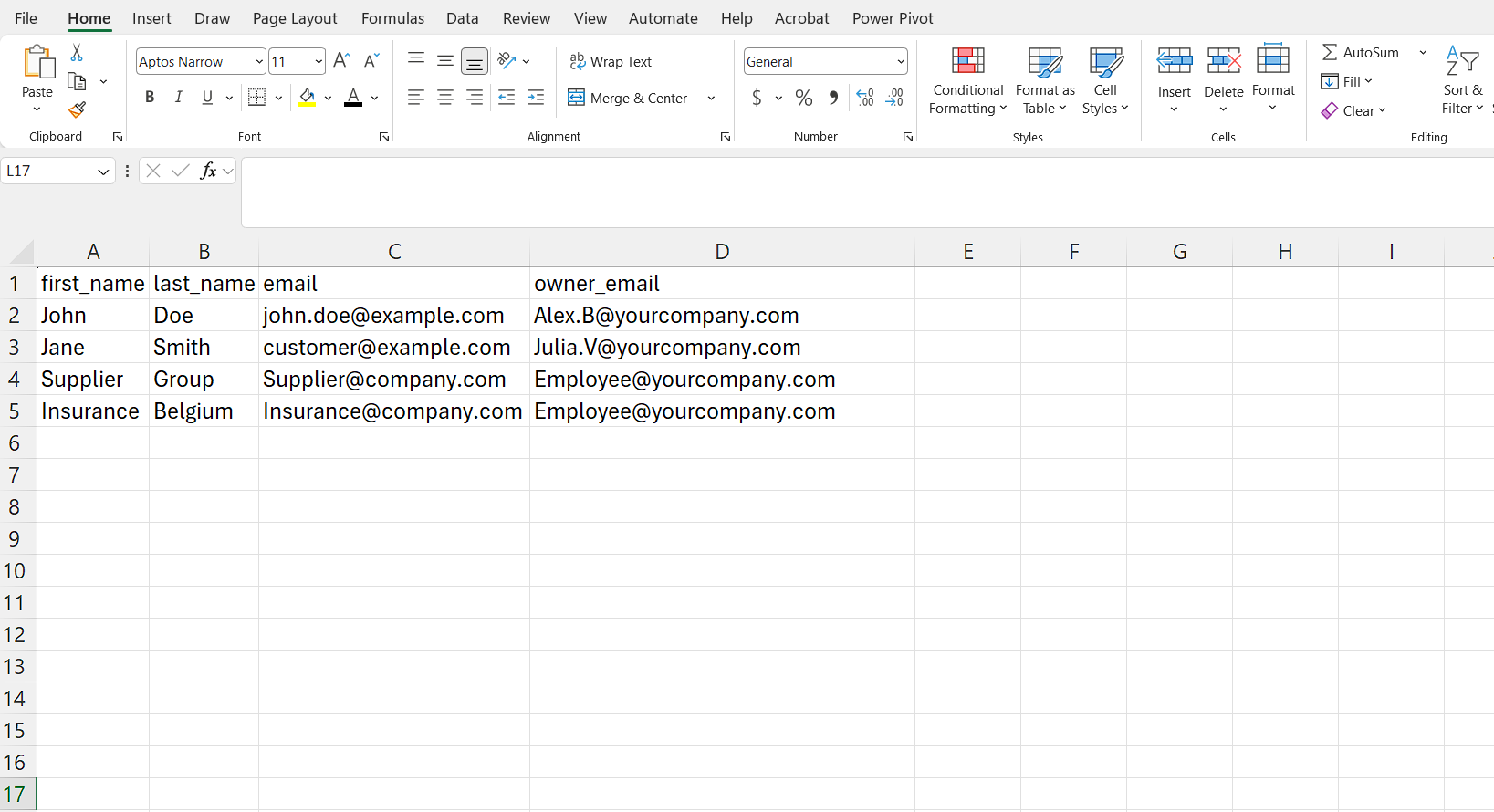
- Valid Contact Owners — each contact's
owner_emailmust be an existing user inside your organization, and they need to have accepted their invitation. - An internal responsible person on General — you can't enable Dispatch-Only Mode until the General category has an internal Primary Responsible set; that's who unmatched email falls back to.
The owner_email column always points to one of your own teammates, not the external contact itself — for
example:
Until all three are met, Enable Dispatch-Only Mode stays disabled, with guidance pointing you to the Contacts tab to get started.
Once enabled, a status banner confirms Dispatch Mode Active, and a second toggle — Include Archive in Forwards (off by default) — lets you also route emails that would normally go to Archive through the same forwarding logic:
- Incoming emails are matched against your contact list.
- If a contact owner is found and active, the email is forwarded to them.
- If no owner is found, it goes to the General category's responsible person instead.
- Archive emails are filtered out before dispatch and skip forwarding entirely, unless Include Archive in Forwards is on.
While Dispatch-Only Mode is enabled, you can't create new categories — only General and Archive are used for email processing.
What's next
- Mailbox Settings: General — mailbox status and processing configuration.
- Mailbox Settings: Language Configuration — full language setup.